

Mentioning Executions
You can reference specific executions in your conversations with Astro using the@ symbol. A quick menu will pop up showing your recent executions, making it easy to pick the right one. This is useful when you want Astro to analyze what happened during a particular run.
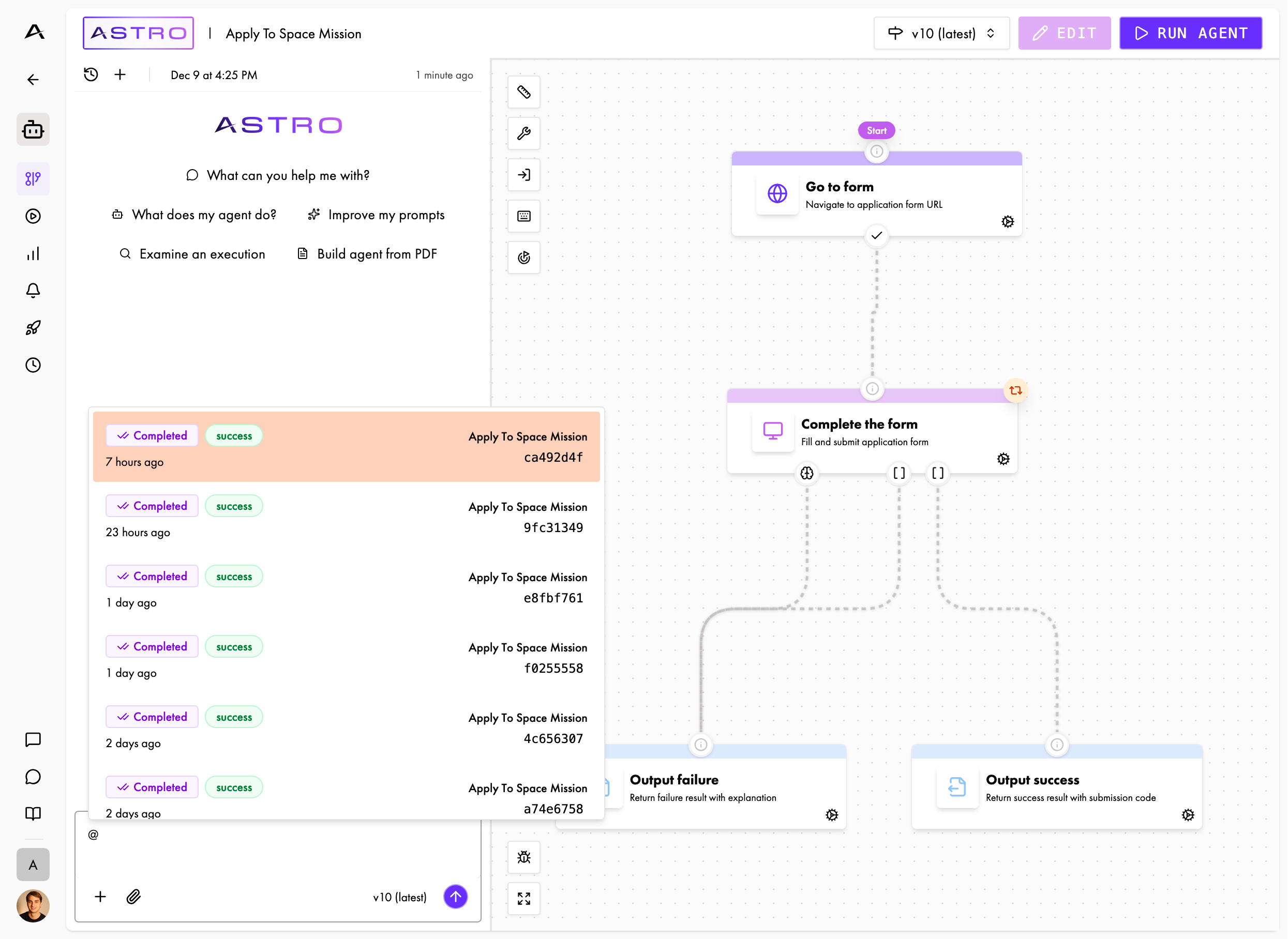
Mentioning Executions
When you type
@ in the chat input, a menu appears showing your recent executions. Simply select the one you want Astro to analyze.- Describe your goal: Explain what you’re trying to achieve
- Share examples: If relevant, mention specific executions or scenarios
- Be specific: Ask targeted questions rather than very general ones
Iterative Improvement
Astro works best when you iterate:1
Ask for help
Start with a question or request
2
Review suggestions
Look at what Astro proposes
3
Provide feedback
Tell Astro what to change, or revert the draft if it isn’t what you wanted
4
Refine
Continue the conversation to fine-tune the results
Tips for Better Results
- Be specific: Instead of “make it better,” ask “how can I make the form filling more reliable?”
- Provide context: Mention specific nodes, executions, or issues you’re facing
- Iterate: Don’t expect perfect results on the first try—refine through conversation
- Review changes carefully: Astro saves its edits to a draft as it makes them, so review them before you publish
- Test after changes: Run your agent after making changes to verify improvements
Examples
- Building an Agent from Scratch
- Improving Existing Prompts
- Debugging an Execution
I need to automate filling out a contact form on example.com. The form has name, email, and message fields.
Analyzes request and suggests workflow structure
That looks good, but I also need to handle the captcha.
Suggests creating an agent profile with captcha solvers enabled